Local SEO for multiple locations: tactics for multi-branch success in 2026
Roughly a 7 minute read by Rebecca
If you’ve got ten or more physical locations, especially in fiercely competitive sectors like hospitality, law or real estate, local SEO can get messy, fast. The mission? Simple: make sure each site, store or venue shows up for local searches and builds trust with nearby customers.
Here’s how to build a scalable, search-friendly local SEO setup that’s ready for 2026 and beyond.
So, what is local SEO?
Local SEO is the practice of improving your business’s visibility in location-based search results, especially on platforms like Google Maps, the Google Local Pack, and AI-driven tools like ChatGPT Local Panels. It helps nearby customers find and trust your business online.
But, nailing that means balancing two things: a joined-up brand presence that’s consistent everywhere, and localised tactics that account for the quirks of each area. From Google Business Profile (GBP) to Bing Places, consistency is key, but so is going hyperlocal when it matters.
The tricky bits of local SEO at scale
Rolling out the same cookie-cutter strategy across all locations? It won’t work. Search engines (and users) expect better.
Messy listings = lost visibility
Duplicate or mismatched listings are a fast track to confusion. Google won’t know which is right, and customers won’t trust you. Make sure your Name, Address and Phone Number (NAP) details are consistent, up-to-date and aligned across every platform. That includes GBP, Bing, Apple Maps and any niche directories you’re on.
Top tip: central oversight is a must, especially if franchisees or local teams are involved.
Getting your business on Google Maps
To appear on Google Maps, your business needs a fully verified Google Business Profile. Add your location, opening hours, categories and photos and keep everything accurate and up to date.
Already verified? Improve your visibility by focusing on:
- Adding geotagged photos
- Getting consistent, positive reviews
- Posting regular updates via Google Business Posts
- Embedding Google Maps on your location pages
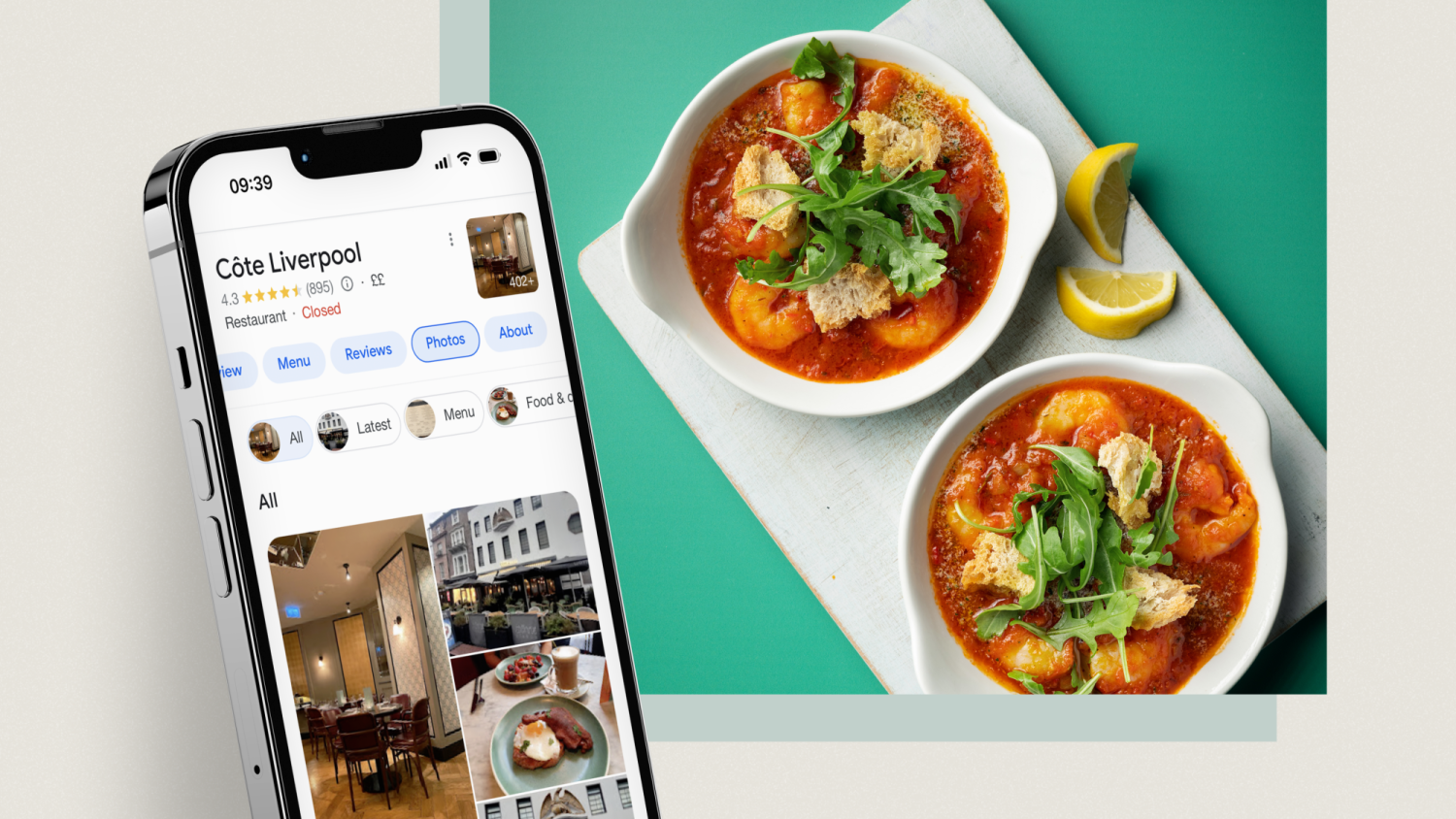
Check out our guide to Google Business Profile for Beginners for practical verification steps and more quick wins! Here how we achieved a 699% ROI for Côte Brasserie in our case study here.
Reviews matter - everywhere
Reviews are still a heavyweight ranking factor in 2026. But they’re not just for visibility; they build real-world trust too. A single location with poor, unanswered reviews can hurt the whole brand.
So:
- Ask for reviews from every customer.
- Reply to all reviews (especially the tricky ones).
- Mention branches by name in responses.
- Flag fake or inappropriate reviews, but don’t try to delete legit ones.
Need help? Try these review response templates:
- Positive: “Thanks so much for your kind words! We’re chuffed you enjoyed your visit to our [City] branch. Hope to see you again soon!”
- Neutral: “Thanks for your feedback - and for visiting our [Branch Name] location. We’re taking this on board to keep improving.”
- Negative: “Sorry to hear this - we’ve flagged your feedback with our [Location] team and would love to put things right. Please drop us a message at [contact info].”
Getting your listings right (GBP + Bing)
As we mentioned, each of your locations needs its own fully verified Google Business Profile and Bing Places listing. Keep categories, hours and descriptions accurate and relevant. If there’s a field to complete, complete it. Use bulk tools to keep things manageable.
To optimise listings:
- Upload geotagged photos.
- Use neighbourhood names, landmarks or local keywords in descriptions.
- Engage with Q&As. People check them, and so does Google.
- Keep posting updates via the “What’s Happening” section (e.g. events, offers, seasonal menus).
Tools to manage listings at scale:
- BrightLocal: Manage citations, track rankings, and gather reviews.
- Yext: Centralise business data and push updates to dozens of directories.
- Moz Local: Keep NAP consistency and monitor listing health.
The importance of structured data in the age of AI
Schema markup helps Google ‘read’ your business better. Use LocalBusiness schema (JSON-LD format is your friend) to serve up all the details search engines need:
- Name, address, phone
- Opening hours
- Services
- Location-specific extras (e.g. wheelchair access, parking info)
Here’s a quick example:
{
“@context”: “https://schema.org”,
“@type”: “LocalBusiness”,
“name”: “Joe’s Deli - Leeds Central”,
“address”: {
“@type”: “PostalAddress”,
“streetAddress”: “123 High Street”,
“addressLocality”: “Leeds”,
“postalCode”: “LS1 1AA”,
“addressCountry”: “GB”
},
“telephone”: “+44 113 555 1234”,
“openingHours”: [“Mo-Fr 08:00-17:00”, “Sa 09:00-14:00”],
“geo”: {
“@type”: “GeoCoordinates”,
“latitude”: 53.8008,
“longitude”: -1.5491
}
}
Want bonus points? Add Speakable schema for voice search support.
Landing pages that actually land
Each location should have its own landing page on your site - not just a list on a directory. Keep it simple, clear and local:
- Use relevant keywords (e.g. “brunch in Leeds”).
- Include nearby landmarks and transport links.
- Embed maps for easy navigation.
- Make sure content is unique for each location (no copy-paste jobs).
- Add location-specific images (with optimised alt text!)- people value being able to see where they’re going.
These pages help each branch rank in its own right and give customers what they need quickly.
Citations and local backlinks
It’s not just about listings. Mentions of your business across local directories, blogs, and partner sites help reinforce your legitimacy. Prioritise getting listed on:
- Local business directories
- Industry-specific portals
- Area-specific blogs and publications
Citations with consistent NAP across these sites boost your authority. And local backlinks? Even better.
AI discovery is here: meet ChatGPT Local Panels
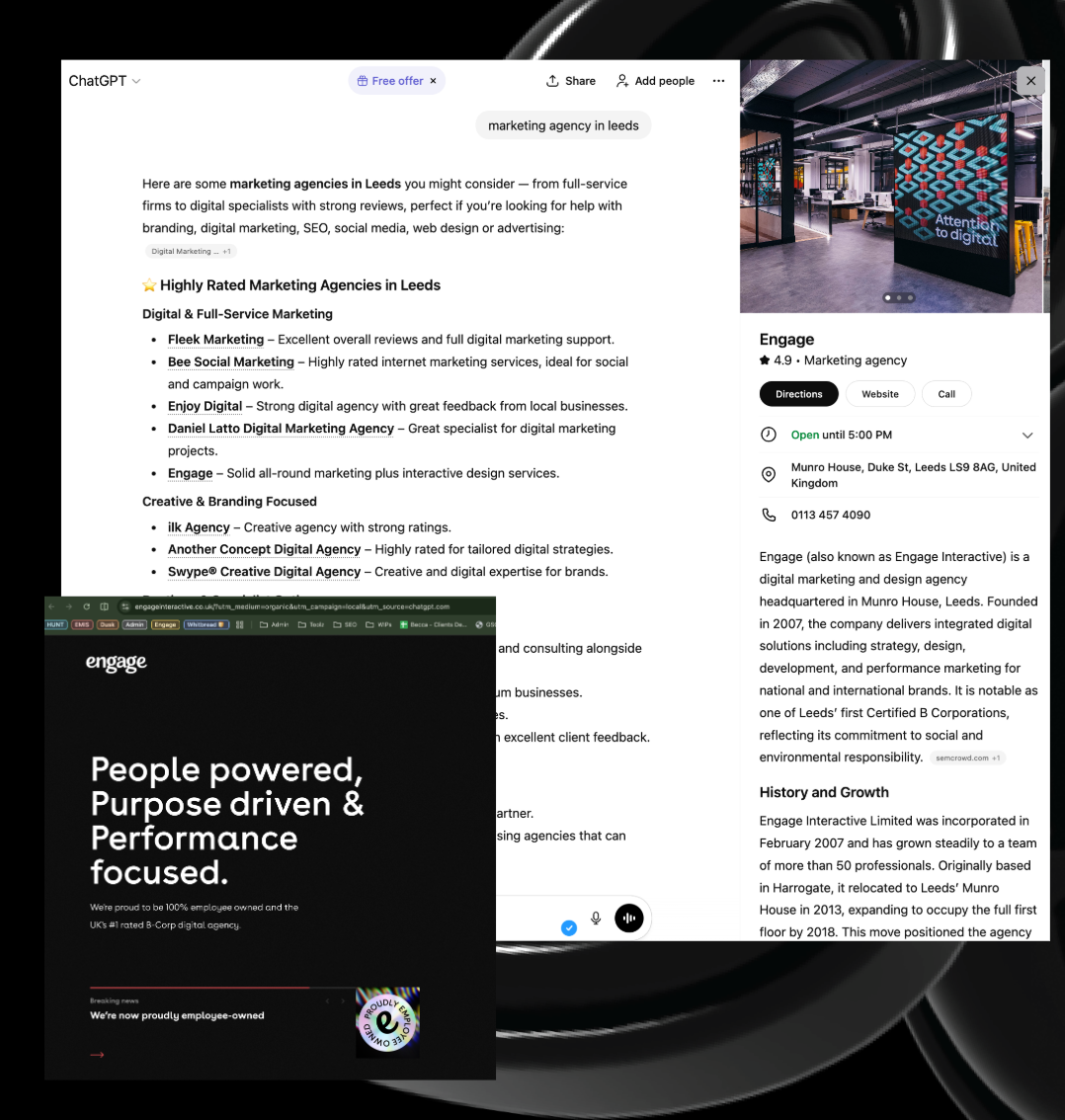
Yep, ChatGPT is in the local SEO game now. From late 2025, OpenAI started rolling out Local Knowledge Panels. Think of them like Google’s version, but baked into AI chat.
They can show:
- Name, address, hours
- Map previews
- Photos and carousel images
- Website links
To show up here, your data across GBP, Bing and your own site needs to be squeaky clean.
Want to stand out?
- Keep schema up to date
- Add fresh, geotagged images
- Optimise for voice search
- Keep your tone natural and helpful (AI reads it like a user would)
Other emerging platforms to watch:
- Apple Business Connect: Fast becoming vital for Maps and iOS visibility.
- Instagram Local Search: More people are using Instagram to find places nearby.
- TikTok Search: Especially important for younger demographics looking for local food, events and experiences.
- Voice assistants: Alexa, Siri and Google Assistant are all pulling from structured data and local listings.
URL structure counts too
Make sure your URLs make sense and are relevant to your business. Something like:
- /restaurants/leeds-central
- /motorway-services/m1-southbound
Clean, readable URLs help both users and search engines understand the location and purpose.
Pro tip: This can help your website rank for both location-based and general terms. One of our clients saw a +1300 keyword lift by shifting from generic URLs to location-relevant ones like /motorway-services/m1-southbound.
Final word
Multi-location local SEO is a juggling act. But with the right balance of consistency and local flavour, it scales beautifully.
Get the basics right: listings, reviews, schema, and landing pages, and you’ll be in a great spot. Embrace the new (hello, ChatGPT panels), and you’ll stay ahead.
Audit what you’ve got, fix what’s broken, and build for the future. Because local search isn’t just search anymore, it’s discovery, trust, and visibility, all rolled into one.
Want more tips? Get in touch to learn how our team can help you win at local SEO!
FAQs
How do you remove bad reviews from Google Business Profile?
You cannot remove legitimate negative reviews. Flag reviews only if they violate Google’s policies (spam, offensive content, false claims). Focus on responding professionally and encouraging positive feedback.
What is the Google Local Pack?
The Local Pack is the top three business listings appearing below the map for local queries. It shows name, rating, address, hours, and sometimes offers. Ranking here significantly increases visibility and traffic.
What is Bing Places for Business?
Bing Places for Business is Microsoft’s local business listing platform. Optimising profiles captures traffic from Bing users, which is especially important in markets where Bing’s market share is growing.